My Shell card is blocked and I cannot charge at home.
Your charge card may be blocked. To unblock your charge card, you need to add a valid payment method in the Shell App. You will find all EV charging features there.
Your charge card may be blocked. To unblock your charge card, you need to add a valid payment method in the Shell App. You will find all EV charging features there.
As previously communicated, Shell Recharge and Shell charge cards are fully managed by Shell. Therefore, to unblock your charge card, it is important that you have downloaded the Shell App.
You can also find the information below on the website of Shell.
Here’s how to keep charging:
Download the Shell App.
Log in with your Shell Recharge account details.
Go to "More" > "Charge cards".
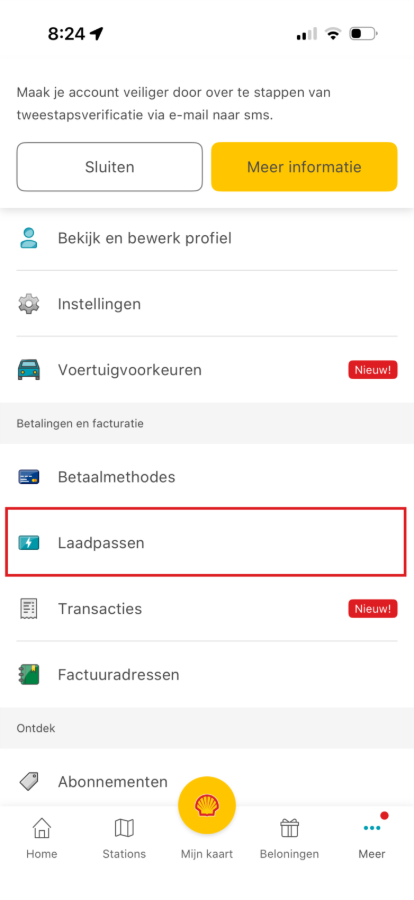
Click on the blocked charge card.
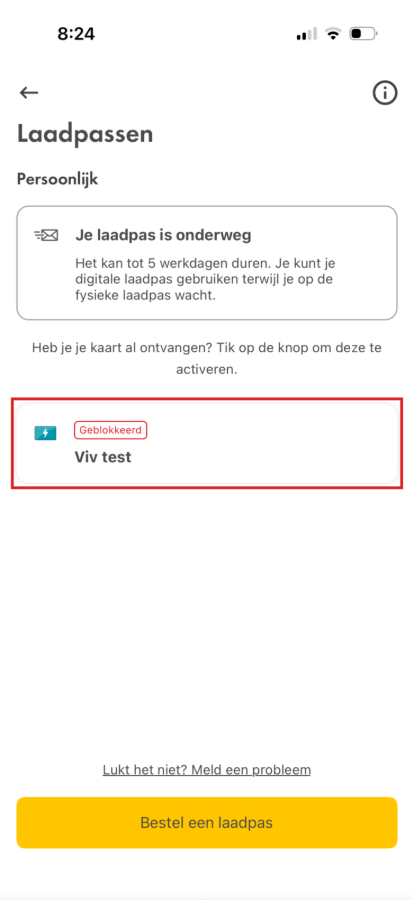
Click the arrow next to the payment method.
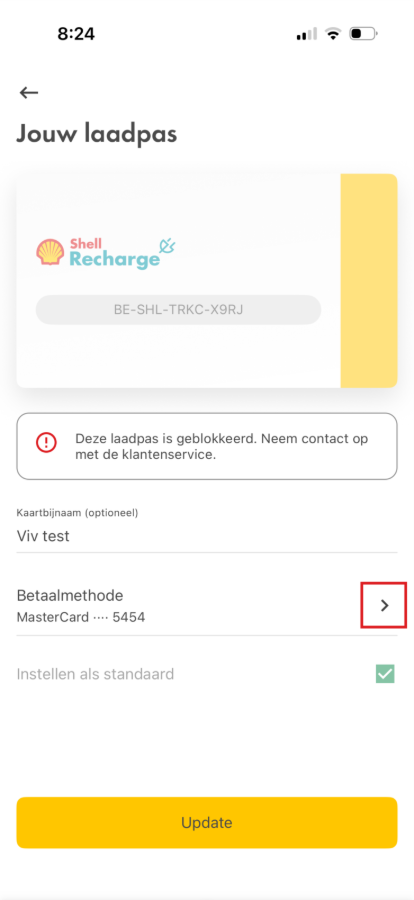
Add a payment method or select an existing method.
To pay via the Shell App, add a payment method or choose an existing one. The Shell App currently supports: credit cards, PayPal, Apple Pay and Google Pay.
Important: Belgian bank cards, such as Maestro or Bancontact, only work via Apple Pay or Google Pay. This means they cannot be added directly to the Shell App. If you use a credit card or bank card, it must have a CVV code: the three-digit security code on the back of your card. Without this code, we unfortunately cannot accept your card yet.
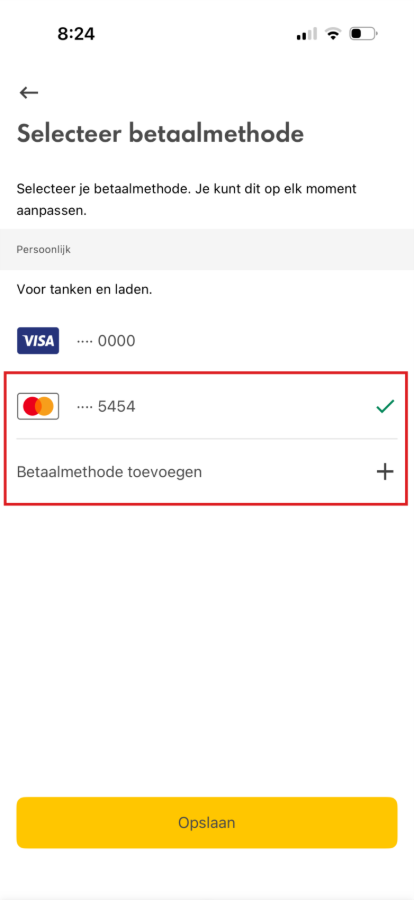
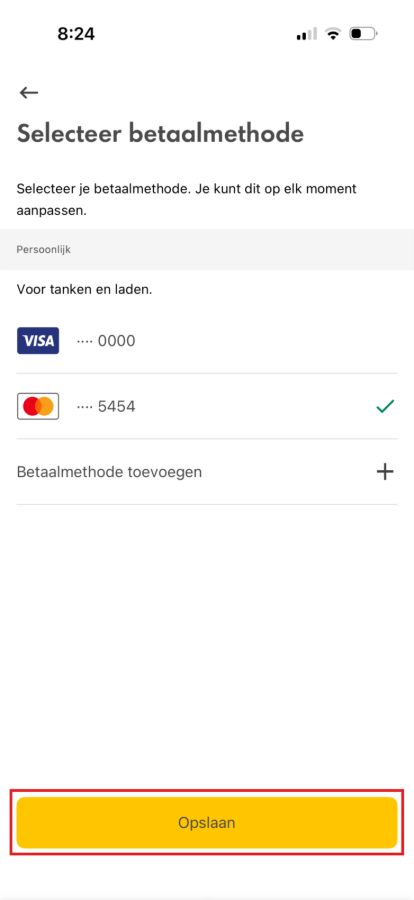
Click "Save".
Click "Update".
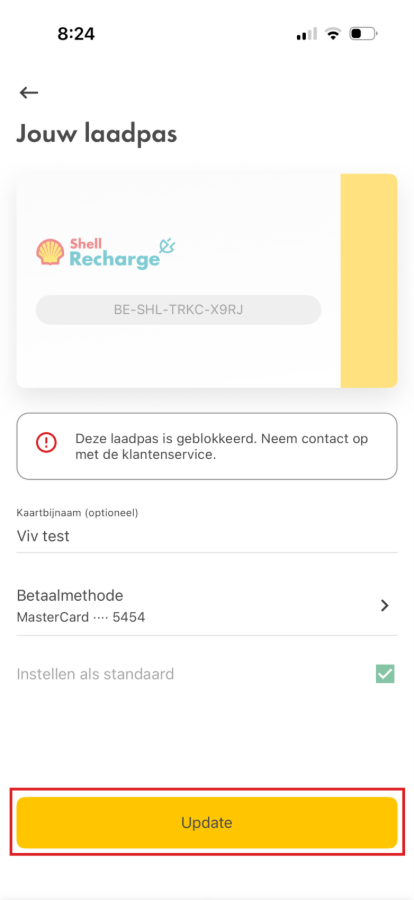
It may take up to an hour for your card to be unblocked. You can then immediately resume charging as usual.
Repeat the steps if you have multiple charge cards.